
























Best Google Pay casinos: compare more than mobile approval
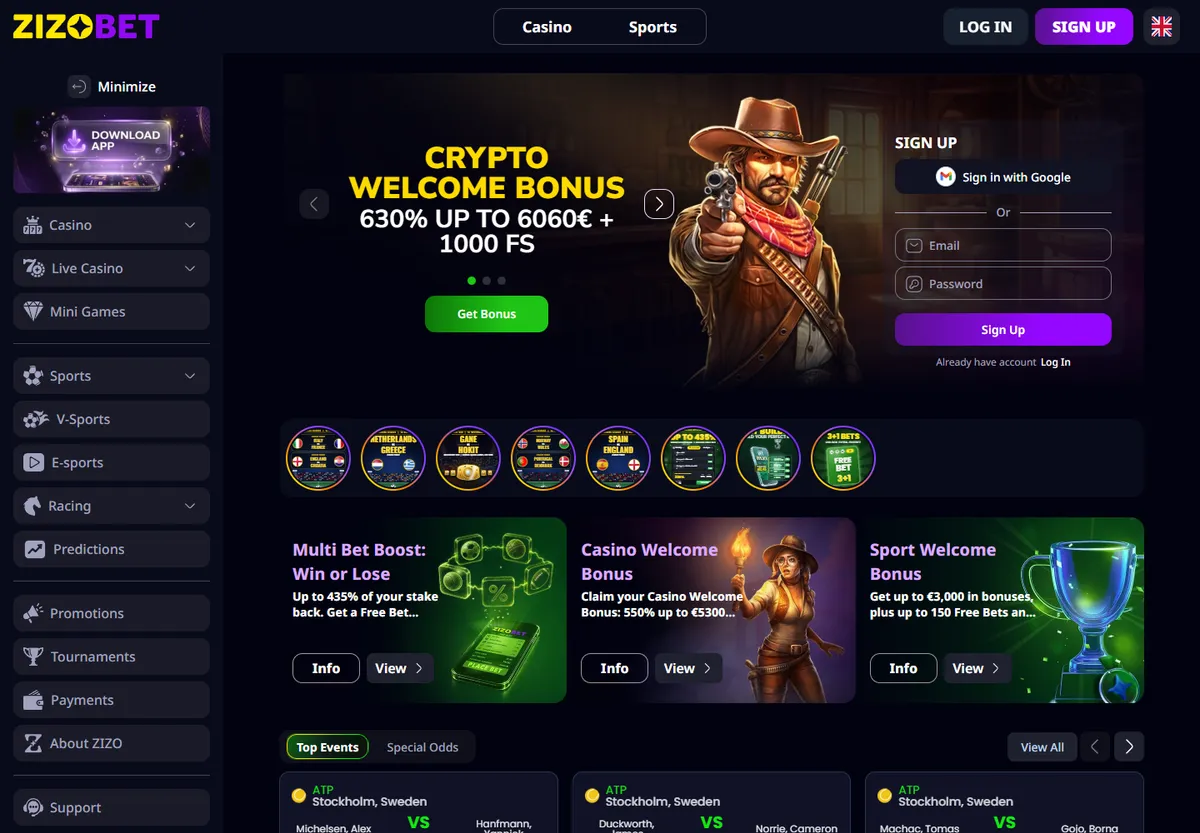
Zizobet includes Google Pay among its payment methods and advertises a 550% welcome package up to €5,300 with 900 free spins. Start by checking that the method appears in your cashier. Then identify the bonus stage related to your intended payment. Do not add the whole package as though selecting Google Pay automatically delivers every advertised benefit.
The best Google Pay casinos for your circumstances should make the complete movement of money understandable. Look for a clear summary, an identifiable card in your name and an explained withdrawal process. A fast interface does not compensate for an unsuitable minimum or a promotion you do not want to manage. The selection provides a comparison candidate, not proof that every saved card is available for every account. Establish the particular combination of casino, payment instrument and conditions before authorising a transaction or deciding that this route is better than paying by card directly.
| Decision | Useful question | Effect on your choice |
|---|---|---|
| Method | Does Google Pay appear in my cashier? | Avoids choosing by a general website logo |
| Card | Do I recognise the selected instrument? | Keeps the funding source under control |
| Offer | What does my particular deposit receive? | Separates one stage from the whole package |
| Payout | Which destination does my account support? | Completes the journey before depositing |
Google Pay, browser autofill and casino balance are different
The Google Pay button uses a saved payment method when a website supports it. Do not confuse that with a browser merely filling a card form automatically. Inspect the option selected and the resulting receipt: entering saved Visa or Mastercard details does not by itself establish that the payment used Google Pay.
Do not mix casino funds with other products or credits associated with a Google account either. Identify the instrument funding the deposit you are approving. Google explains that it does not hold or process funds for these purchases; the transaction is between the merchant and the financial institution behind the method. For a player, the practical consequence is to retain both casino and bank records. The payment-button name replaces neither history and does not establish the withdrawal destination. Keep these distinctions clear when comparing methods so that a familiar brand name does not conceal which account is actually being charged.
Check the account and card displayed at checkout
If you use several browser profiles, inspect which account and instrument appear on the payment screen. Do not assume opening the casino in a particular tab selects the card you intended. Identify the last digits and method before continuing. A mistaken selection can charge a different budget from the one reserved for the activity.
Keep account functions separate: signing into a casino and selecting a saved payment method are different decisions. An email address used for one service does not make somebody else's card your own instrument. On a shared browser, avoid leaving sessions open for another person to continue a transaction. After depositing, retain the receipt and establish where the payment is recorded. This preparation is especially useful when alternating between phone and computer, where the available cards may differ. Recognising the intended instrument before approval is easier than explaining an unexpected charge after switching between several profiles.
Check compatibility for the instrument and the actual use
A saved card does not guarantee casino acceptance for that payment. The issuer can apply its conditions and the cashier can limit options for a particular account. Start with the method offered by the operator, then inspect the cards that can be selected. If an option is missing, ask about that specific case rather than trying several instruments without understanding the reason.
Do not treat a successful physical-shop payment as proof that an online deposit will work identically. Those are different environments. This comparison concerns the website button, transaction summary and associated approval, not the ability to hold a phone near a terminal. When comparing new Google Pay casinos, look for instructions specific to the online cashier. A description of in-store payments or a photograph of a mobile device does not resolve the deposit and withdrawal conditions of a player account. Ask what the offered journey actually supports before investing time in another setup.
Review the deposit before confirming it
Return to the casino history afterwards. Retain the reference and inspect the card movement when it appears. If the cashier is interrupted, do not start another attempt without checking those records. An absent balance is insufficient to establish that no payment was authorised. When contacting support, describe the time, amount and stage at which the screen closed. Do not share passwords or confirmation codes to demonstrate that you attempted a deposit. Transaction information should make investigation possible without handing over account access. Keep the same reference throughout the enquiry so the original attempt remains identifiable instead of being confused with later payments.
- Open deposits from your account, select Google Pay and enter the planned amount.
- Check the currency and whether a promotion is selected.
- When available methods appear, choose the instrument you actually intend to use and read the complete summary.
- Confirm only when the amount and funding method match your decision.
Google Pay bonuses: decide before opening the payment summary
Decide whether you want a promotion before initiating payment. If the cashier selects one by default, inspect its conditions and deselect it when you prefer a deposit without a bonus. For a multi-deposit offer such as Zizobet's advertised package, compare the stage you will use, its minimum and the distribution of spins. The combined welcome amount is not an immediately available cash balance.
Also check eligible methods, contributing games and what happens if a withdrawal is requested before conditions are completed. Do not assume Google Pay removes restrictions that would apply to the same card-funded deposit. Consider a decision example without attributing terms to any brand: if you intend to allocate one fixed amount to a session, a promotion requiring several stages may be less useful than depositing without it. Assess the commitment accepted rather than only the percentage displayed near the commercial button. Select the offer because it fits that commitment.
Agree the payout destination with the casino
Do not search for an independent Google Pay account to which casino winnings can be sent. Inspect the operator's withdrawal methods and ask which procedure follows a deposit made through the linked instrument. A card or bank account in your name may require verification. Deposit availability and payout availability need separate confirmation.
Before requesting money, check whether the balance is withdrawable and whether documents remain outstanding. Keep the request date and status. If dispatch is confirmed, ask for the reference that identifies the payment at its stated destination. If review continues, ask which condition remains unresolved. Do not use the Google screen as the only place to search for this information: operator history and banking records help distinguish progress of the payout from a general question about a saved payment. The deposit button explains how a transaction started, but it does not replace the casino's explanation of how available funds return.
Contact the party responsible for the particular problem
If the button fails to open or an expected method is absent, begin with cashier instructions and your configuration. If a card authorisation is declined, ask the issuer about that transaction. If payment is recorded but no deposit is credited, ask the casino to locate the reference. Addressing the party handling that stage saves unnecessary attempts and avoids treating every issue as the same failure.
A bonus disagreement differs from a duplicate charge or an unrecognised payment. Document each situation accurately. Contact your financial institution through its official channel for movements you do not recognise. For promotional conditions, identify the accepted wording and related request. Do not present losses from authorised bets as a payment error. Records exist to explain specific facts, not to turn the Google Pay name into a general guarantee about results, refunds or casino decisions. Keep the enquiry focused on what the records show and what action you need explained.
Euro charges and the total of several small payments
Inspect the currency in the payment summary and how the selected instrument will be charged. If conversion is involved, compare the total cost before approval. A casino may state that deposits are free while your card still has its own conditions. Do not attribute a fee to Google Pay merely because that button was used; identify who applies the charge and at which stage.
Small deposits need a combined limit too. In a hypothetical example, four €15 payments total €60, even if each confirmation feels minor. If your budget was €40, splitting deposits does not prevent exceeding it. These amounts are not casino minimums. Record the total authorised and pending transactions alongside playable balance. Payment comparison should make spending easier to manage rather than less visible during a session. A method saving data entry can still require deliberate record-keeping, particularly when several approvals occur close together or card movements appear after the casino balance changes.
Changing or removing a saved card after depositing
Before removing a card from saved methods, retain the information needed to identify deposits made with it. Deleting it from an interface does not erase casino history or resolve a pending withdrawal request. If your issuer replaces the instrument, ask the operator how to verify the new destination without assuming another deposit is necessary.
Review methods when changing devices or browser profiles as well. Do not create replacement casino accounts to solve a problem with a saved card. Maintain one coherent record of identity, payments and requests. When selecting an online Google Pay casino, assess whether its support explains these changes concretely. Continuity is not measured only by the first deposit: a card working today may be renewed before a later payout. Understanding the procedure beforehand avoids improvising with funds already pending and prevents a simple account-management change from becoming an unnecessary new chain of deposits across several instruments.
Google Pay versus Apple Pay and direct card payments
Google Pay can fit when a compatible instrument is already saved and the casino provides a clear way to use it. Apple Pay needs its own setup and availability; choosing between them should not depend solely on a generic brand comparison. Direct Visa or Mastercard payment may be sufficient if you prefer identifying the card in the form and the cashier explains its conditions.
Compare the complete task rather than only seconds spent entering details. Ask where the receipt will appear, what happens to a pending attempt, and how withdrawals work afterwards. If another method's main attraction is an offer, examine its required commitment first. Apply that same test to new Google Pay casinos: an addition deserves attention when it improves a specific part of the journey, rather than repeating a familiar logo. Choose the option you can use and document with less uncertainty for your own account, device and planned budget.
Before you choose
Is browser card autofill the same as Google Pay?+
Not necessarily. Check the selected cashier method and receipt. A form can fill saved card details without the Google Pay button being used. This distinction helps when describing a problem and checking the conditions of the method that actually processed the deposit, rather than relying on where the card details were stored.
Does Google Pay manage my casino balance?+
Do not treat it as the account holding casino winnings. The operator maintains the playing balance and sets payout methods. Identify the instrument funding payment and ask about the withdrawal destination. Having a saved method does not create a separate withdrawal wallet or establish that every available card can receive money.
Why does an unintended card appear at checkout?+
Inspect the profile and available methods on the payment screen. Do not continue until the intended instrument is identified. Different browsers or devices may present different options. Confirm the last digits before authorising, especially when cards are separated for different budgets. A familiar account name is not a substitute for checking the selected card.
Should I ask Google about a casino withdrawal?+
Start with the operator to establish the request status and destination method. After dispatch is confirmed, retain the reference and contact the receiving provider when appropriate. The deposit-button name does not determine who can locate a payout and does not replace the player account history or the casino payment record.
Does a saved card qualify me for the bonus?+
Saving a card does not establish promotional eligibility. Inspect Google Pay participation, the minimum, deadline and activated stage. Also confirm whether selecting the bonus before payment is required. If you prefer depositing without a promotion, make that choice clear in the final summary rather than assuming it can always be changed afterwards.
Does removing the saved method cancel a pending payment?+
Do not use removal as a cancellation procedure. Ask the casino and issuer about transaction status and follow the applicable instructions. Retain the reference before changing methods. An action affecting a list of cards does not by itself explain what happened to a charge that may already have been authorised.